
Build a Wi-Fi Controlled Home Relay Switch with NodeMCU ESP8266 – Full DIY Guide
Introduction
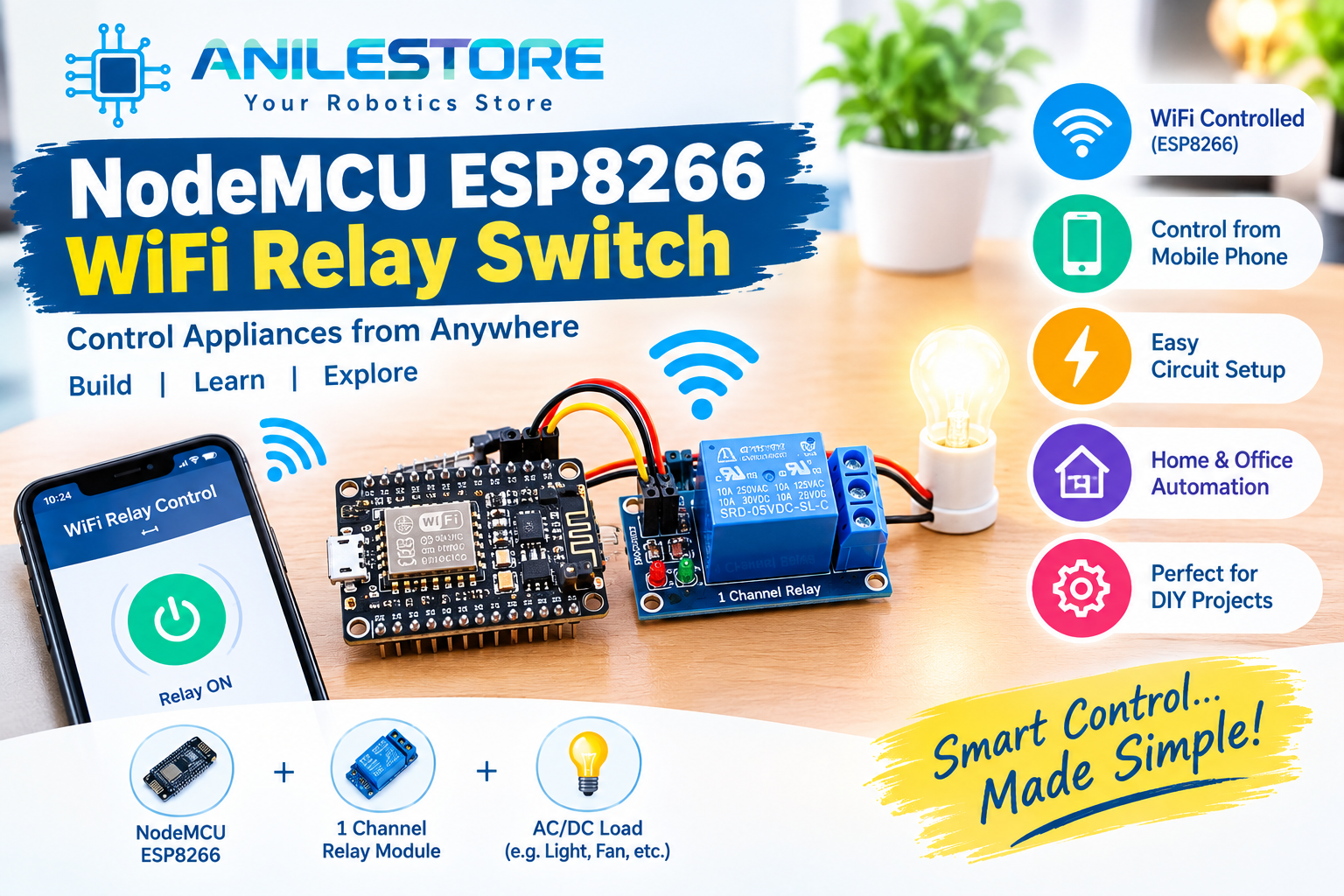
Imagine controlling your room fan, desk lamp, or any AC appliance straight from your smartphone — no expensive smart home hub required. With a NodeMCU ESP8266 and a relay module, you can build your own Wi-Fi switch for under ₹500, using components available right here at Anil Electronic Store.
This project is perfect for intermediate beginners who are comfortable with Arduino basics and want to step into the world of IoT (Internet of Things). By the end of this guide, you will have a working web-server-based switch you can control from any browser on your home network.
What You'll Build
- A NodeMCU-hosted web page with ON/OFF buttons
- Control a relay (and any connected appliance) over your home Wi-Fi
- Access the switch from any phone, tablet or laptop on the same network
- Optional: LED indicator showing relay state
- Total build time: ~45 minutes
How It Works
The NodeMCU ESP8266 connects to your home Wi-Fi as a station. It runs a tiny web server on port 80. When you visit its IP address in a browser, it serves a simple HTML page with two buttons — ON and OFF. Pressing a button sends an HTTP GET request back to the NodeMCU, which triggers the relay accordingly. The relay then switches your appliance on or off.
Components Required (BOM)
All components below are in stock at anilestore.com with same-day dispatch. See the kit panel on this page to add everything in one click.
Circuit Connections
Relay Module → NodeMCU ESP8266:
- VCC → VIN (5V from USB)
- GND → GND
- IN (Signal) → D1 (GPIO5)
LED Indicator → NodeMCU:
- Anode (+) → D2 (GPIO4) via 220Ω resistor
- Cathode (–) → GND
Relay COM/NO terminals go in series with your appliance's live wire. Always exercise caution with AC mains wiring. If unsure, use a low-voltage DC load for testing.
Arduino Code
#include <ESP8266WiFi.h>

const char* ssid     = "YOUR_WIFI_SSID";
const char* password = "YOUR_WIFI_PASSWORD";

const int relayPin = 5;   // D1
const int ledPin   = 4;   // D2
bool relayState    = false;

WiFiServer server(80);

void setup() {
  Serial.begin(115200);
  pinMode(relayPin, OUTPUT);
  pinMode(ledPin, OUTPUT);
  digitalWrite(relayPin, HIGH); // Relay OFF by default (active LOW)
  digitalWrite(ledPin, LOW);

  WiFi.begin(ssid, password);
  Serial.print("Connecting to Wi-Fi");
  while (WiFi.status() != WL_CONNECTED) {
    delay(500);
    Serial.print(".");
  }
  Serial.println("\nConnected! IP: " + WiFi.localIP().toString());
  server.begin();
}

void loop() {
  WiFiClient client = server.available();
  if (!client) return;

  String request = client.readStringUntil('\r');
  client.flush();

  if (request.indexOf("/ON") != -1) {
    digitalWrite(relayPin, LOW);  // Relay ON
    digitalWrite(ledPin, HIGH);
    relayState = true;
  } else if (request.indexOf("/OFF") != -1) {
    digitalWrite(relayPin, HIGH); // Relay OFF
    digitalWrite(ledPin, LOW);
    relayState = false;
  }

  String html = "HTTP/1.1 200 OK\r\nContent-Type: text/html\r\n\r\n";
  html += "<!DOCTYPE html><html><head>";
  html += "<meta name='viewport' content='width=device-width, initial-scale=1'>";
  html += "<title>Wi-Fi Relay Switch</title>";
  html += "<style>body{font-family:sans-serif;text-align:center;padding:40px;}";
  html += "h1{color:#1e3a8a;} .btn{padding:20px 40px;font-size:20px;margin:10px;";
  html += "border:none;border-radius:8px;cursor:pointer;}";
  html += ".on{background:#22c55e;color:#fff;} .off{background:#ef4444;color:#fff;}</style></head>";
  html += "<body><h1>Wi-Fi Relay Switch</h1>";
  html += "<p>Relay is currently: <strong>" + String(relayState ? "ON" : "OFF") + "</strong></p>";
  html += "<a href='/ON'><button class='btn on'>Turn ON</button></a>";
  html += "<a href='/OFF'><button class='btn off'>Turn OFF</button></a>";
  html += "</body></html>";

  client.print(html);
  delay(1);
}
Required Library
The ESP8266WiFi library comes bundled with the ESP8266 board package. To install the board:
- Open Arduino IDE → File → Preferences
- Add this URL in "Additional Board Manager URLs":
http://arduino.esp8266.com/stable/package_esp8266com_index.json - Go to Tools → Board → Board Manager, search esp8266 and install.
- Select NodeMCU 1.0 (ESP-12E Module) as your board.
Step-by-Step Assembly
- Place the NodeMCU on your breadboard straddling the centre gap.
- Connect the relay module — VCC to VIN, GND to GND, IN to D1. The relay module has its own optocoupler, so it is safe to drive directly from NodeMCU's GPIO.
- Connect the LED — anode to D2 via a 220Ω resistor, cathode to GND. This gives you a visual indicator of relay state.
- Edit the code — replace
YOUR_WIFI_SSIDandYOUR_WIFI_PASSWORDwith your actual network credentials. - Upload the sketch via Micro USB and open Serial Monitor at 115200 baud. Wait for the IP address to appear (e.g.,
192.168.1.105). - Open a browser on any phone or laptop on the same Wi-Fi, type the IP address, and use the ON/OFF buttons!
Troubleshooting Tips
- Can't connect to Wi-Fi? Double-check your SSID and password. NodeMCU only supports 2.4GHz networks — not 5GHz.
- Relay clicks but appliance doesn't switch? Ensure you're using the COM and NO (Normally Open) terminals, not NC.
- Can't reach the web page? Make sure your phone is on the same Wi-Fi network as the NodeMCU. Check the IP address printed in Serial Monitor.
- Board not detected by PC? Install the CH340G USB-to-serial driver. Download from the Anil Electronic Store blog.
Upgrades & Next Steps
- Control 4 appliances using a 4-Channel Relay Module — ideal for a full smart room switch
- Add Blynk or MQTT integration to control from anywhere in the world, not just your local network
- Use a DHT22 sensor to also display live temperature on the web page
- Add password protection to the web interface for security
- Mount everything inside a chassis/enclosure box for a clean wall-mount installation
Safety Notice
⚠️ Important: When switching AC mains appliances (230V), always ensure the relay module's AC terminals are properly insulated and housed in a suitable enclosure. Never touch live terminals when the circuit is powered. For testing purposes, use a 5V or 12V DC load (like an LED strip or a motor) first before moving to AC loads.
Conclusion
This project is one of the most practical IoT builds you can complete in an afternoon. With a NodeMCU and a relay module from Anil Electronic Store, you get a fully functional Wi-Fi switch that costs a fraction of commercial smart plugs — and you built it yourself!
Need help with the wiring or code? Chat with our engineer directly on WhatsApp. We ship same day for orders placed before 2 PM across 19,000+ PIN codes in India.
Build This Project Kit
Everything required to build this project. Uncheck any parts you already own, then click Buy Project Kit & Checkout to order everything in 1 click!
Anil Electronic Store Technical Team
Based in Odhav, Ahmedabad, we provide genuine electronic components, Arduino boards, robotics hardware, and industrial automation parts across India.