
Introduction
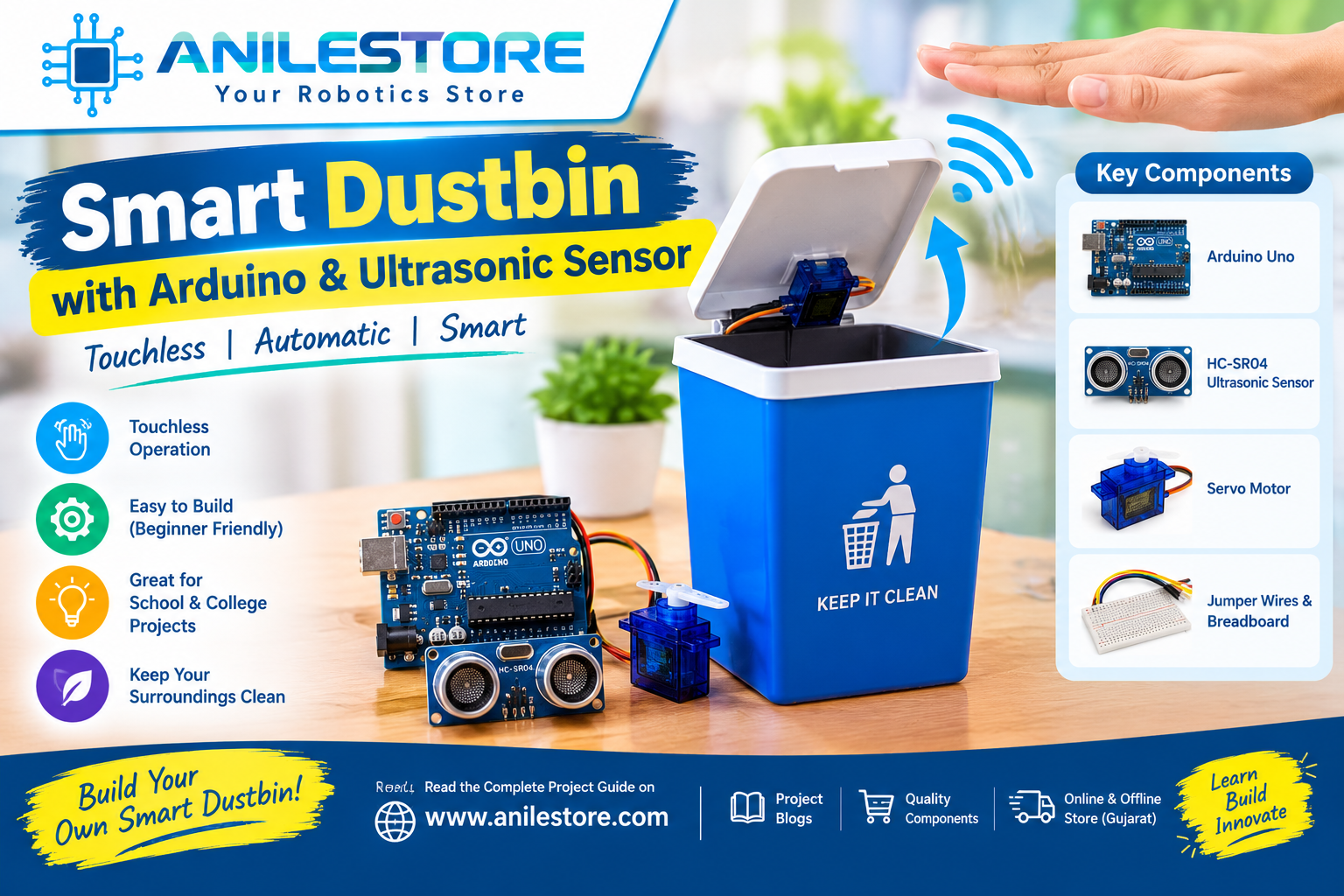
Tired of touching a dirty dustbin lid with your hands? A Smart Dustbin solves this hygiene problem elegantly — it automatically opens its lid when it detects your hand nearby, and closes it again after a few seconds. No touching required!
This is a fantastic beginner-to-intermediate Arduino project that combines an HC-SR04 ultrasonic distance sensor with a servo motor to create a fully touchless, automatic dustbin. You can build it in under 2 hours using affordable components from Anil Electronic Store.
This project is also great for school science exhibitions, college mini-projects, and IoT demonstrations. Let's get building!
What You'll Build
- A touchless dustbin that detects hand presence using ultrasonic sensor
- Servo motor automatically opens and closes the lid
- Adjustable detection range (default: 20 cm)
- Optional: LED indicator and buzzer alert when bin is full
- Powered via USB or 9V battery
- Total build time: ~1.5 to 2 hours
How It Works
The HC-SR04 ultrasonic sensor continuously sends out ultrasonic pulses and measures the time taken for the echo to return. This gives an accurate distance reading in centimetres.
- If the measured distance is less than 20 cm — a hand or object is nearby — the Arduino commands the servo motor to rotate and open the lid.
- The lid stays open for 3 seconds and then the servo rotates back to close the lid.
- A second ultrasonic sensor (or the same one repositioned) can optionally measure how full the bin is — triggering a buzzer alert when the bin reaches capacity.
Components Required (BOM)
All components are in stock at anilestore.com with same-day dispatch before 2 PM. See the kit panel on this page to add everything in one click.
Circuit Connections
HC-SR04 Ultrasonic Sensor → Arduino Uno:
- VCC → 5V
- GND → GND
- TRIG → Digital Pin D9
- ECHO → Digital Pin D10
SG90 Servo Motor → Arduino Uno:
- Red wire (VCC) → 5V
- Brown wire (GND) → GND
- Orange wire (Signal) → Digital Pin D6 (PWM)
Active Buzzer Module → Arduino Uno:
- VCC → 5V
- GND → GND
- Signal → Digital Pin D8
LED Indicator → Arduino Uno:
- Anode (+) → Digital Pin D7 via 220Ω resistor
- Cathode (–) → GND
Power:
- Connect 9V battery snap to Arduino barrel jack, or power via USB from a power bank for a wireless, portable build.
Arduino Code
// Smart Dustbin – Anil Electronic Store
// HC-SR04 Ultrasonic Sensor + SG90 Servo + Buzzer + LED

#include <Servo.h>

// Pin Definitions
const int trigPin   = 9;
const int echoPin   = 10;
const int servoPin  = 6;
const int buzzerPin = 8;
const int ledPin    = 7;

// Settings
const int openDistance  = 20;  // cm — hand detection range
const int fullDistance  = 10;  // cm — bin full threshold (sensor inside bin)
const int openAngle     = 100; // degrees — lid open position
const int closedAngle   = 0;   // degrees — lid closed position
const int lidOpenTime   = 3000; // ms — how long lid stays open

Servo lidServo;
long duration;
int distance;

int measureDistance(int trig, int echo) {
  digitalWrite(trig, LOW);
  delayMicroseconds(2);
  digitalWrite(trig, HIGH);
  delayMicroseconds(10);
  digitalWrite(trig, LOW);
  long dur = pulseIn(echo, HIGH);
  return dur * 0.034 / 2;
}

void setup() {
  pinMode(trigPin,   OUTPUT);
  pinMode(echoPin,   INPUT);
  pinMode(buzzerPin, OUTPUT);
  pinMode(ledPin,    OUTPUT);

  lidServo.attach(servoPin);
  lidServo.write(closedAngle); // Start with lid closed
  Serial.begin(9600);

  // Startup signal
  digitalWrite(ledPin, HIGH);
  delay(500);
  digitalWrite(ledPin, LOW);
}

void openLid() {
  lidServo.write(openAngle);
  digitalWrite(ledPin, HIGH);
  delay(lidOpenTime);
  lidServo.write(closedAngle);
  digitalWrite(ledPin, LOW);
  delay(500); // Debounce delay before next detection
}

void binFullAlert() {
  for (int i = 0; i < 3; i++) {
    digitalWrite(buzzerPin, HIGH);
    delay(200);
    digitalWrite(buzzerPin, LOW);
    delay(200);
  }
}

void loop() {
  int handDist = measureDistance(trigPin, echoPin);
  Serial.print("Distance: ");
  Serial.print(handDist);
  Serial.println(" cm");

  if (handDist > 0 && handDist < openDistance) {
    // Hand detected — open the lid
    openLid();
  }

  // Optional: Bin full check
  // If you mount a second sensor INSIDE the bin pointing downward,
  // uncomment below and wire it to pins 11 (trig) and 12 (echo):
  //
  // int fillDist = measureDistance(11, 12);
  // if (fillDist < fullDistance) {
  //   binFullAlert();
  // }

  delay(100);
}
Required Library
The Servo library is built into the Arduino IDE — no installation needed. Simply go to:
Sketch → Include Library → Servo
The NewPing library is optional for more accurate ultrasonic readings. Install it via Tools → Manage Libraries → search "NewPing".
Step-by-Step Assembly
- Prepare your dustbin: Use any plastic dustbin or box with a hinged or pivoting lid. A small rectangular food container or a school geometry box works perfectly for prototyping. You can also 3D-print a custom enclosure.
-
Mount the servo motor: Fix the SG90 servo to the side or back edge of the dustbin lid using a small L-bracket or hot glue. The servo horn should connect to the lid so that rotation of the servo opens and closes the lid. Adjust
openAnglein the code to match your physical setup. - Mount the HC-SR04 sensor: Fix the ultrasonic sensor on the front face of the dustbin, pointing outward and slightly downward. This is the "eye" that detects your approaching hand.
- Place the Arduino: Mount the Arduino Uno on the side or inside the back of the dustbin. Use double-sided foam tape or M3 standoffs.
- Place the breadboard: Stick the mini breadboard near the Arduino for connecting the buzzer, LED and resistor cleanly.
- Wire everything up: Follow the circuit connections listed above. Keep wires short and neat — use female-to-female jumper wires for connecting sensor modules to the Arduino pins.
- Upload the code: Connect the Arduino to your laptop via USB A-B cable, select Board: Arduino Uno and the correct COM port, then upload.
-
Test and calibrate: Open the Serial Monitor at 9600 baud. Wave your hand in front of the sensor and watch the distance readings. Adjust
openDistancevalue in the code if needed. Verify the servo lid opens and closes correctly. - Power it standalone: Once working, disconnect USB and connect a 9V battery snap to power it independently. Place inside or behind the dustbin.
Servo Angle Calibration
Every dustbin and mounting setup is slightly different. Here's how to find the right servo angles for your build:
- Upload the code with
openAngle = 90andclosedAngle = 0first. - Trigger the sensor and observe how far the lid opens.
- Increase
openAnglegradually (e.g., 100, 110, 120) until the lid opens fully without straining the servo. - If the lid moves in the wrong direction, swap
openAngleandclosedAnglevalues.
Optional Add-On: Bin Full Alert
Mount a second HC-SR04 sensor inside the dustbin pointing downward from the lid. When the waste inside rises close to the sensor (within 10 cm), the Arduino triggers the buzzer alert — three short beeps to indicate the bin needs emptying.
Uncomment the "Bin full check" section in the code and wire the second sensor to pins D11 (TRIG) and D12 (ECHO).
Troubleshooting Tips
- Lid doesn't open when hand is near: Check Serial Monitor for distance readings. If showing 0 or 999, check TRIG and ECHO pin connections and ensure the sensor is powered.
- Servo jitters or doesn't move smoothly: The SG90 needs a stable 5V supply. If powering from Arduino's 5V pin with a 9V battery, ensure the battery is fresh. Alternatively, use a separate 5V supply for the servo.
- Lid opens too far or too little: Adjust the
openAnglevalue in the code between 60–180 degrees to match your physical setup. - False triggers (opens without hand): Increase the
openDistancethreshold in the code from 20 cm to 15 cm to reduce sensitivity. - Buzzer keeps beeping: The buzzer is active-LOW on some modules — try
digitalWrite(buzzerPin, LOW)to turn it ON if it behaves opposite to expected.
Upgrades & Next Steps
- Add a 0.96" OLED display to show bin fill percentage in real time
- Use a NodeMCU ESP8266 instead of Arduino Uno to send a WhatsApp or Telegram alert when the bin is full
- Add a PIR motion sensor as an alternative or backup hand detector
- Use a MG90S metal gear servo instead of SG90 for a heavier or larger dustbin lid
- 3D-print a custom enclosure for a clean, professional-looking final product
- Add a rechargeable 18650 Li-ion battery with a TP4056 charging module for a truly wireless, rechargeable smart dustbin
Why This Project is Great for Science Exhibitions
The Smart Dustbin ticks all the boxes for a winning science fair or college mini-project:
- ✅ Practical real-world application — hygiene and automation
- ✅ Easy to explain — judges instantly understand the concept
- ✅ Impressive demo — wave your hand and the lid opens automatically
- ✅ Expandable — add IoT alerts, fill-level display, solar power
- ✅ Affordable — entire kit under ₹800
Conclusion
The Smart Dustbin is a perfect blend of sensors, actuators, and simple logic — making it one of the most satisfying beginner Arduino projects to build and demonstrate. It's practical, hygienic, and endlessly upgradeable.
All components in this project's BOM are 100% genuine, tested, and in stock at Anil Electronic Store. Order before 2 PM for same-day dispatch across India. Stuck on the wiring or code? Chat directly with our engineer on WhatsApp — we love helping makers build cool things! 🗑️⚡